

 A short one but a good one today. Let's see how we can automate tasks with
[CommandBox Githooks.](https://www.forgebox.io/view/commandbox-githooks)
A short one but a good one today. Let's see how we can automate tasks with
[CommandBox Githooks.](https://www.forgebox.io/view/commandbox-githooks)
CommandBox Githooks
What are Githooks?
Githooks run on different git actions, like pre-commit and post-checkout. They
allow you to hook in to git's lifecycle to execute tasks. Some examples of these
tasks are enforcing a commit message format in pre-commit or installing dependencies
in post-checkout. This is more useful than it may sound — I know I often
forget to install new dependencies when checking out a branch. Automating that
step helps me spend less time debugging in the wrong direction.
Running Githooks with CommandBox
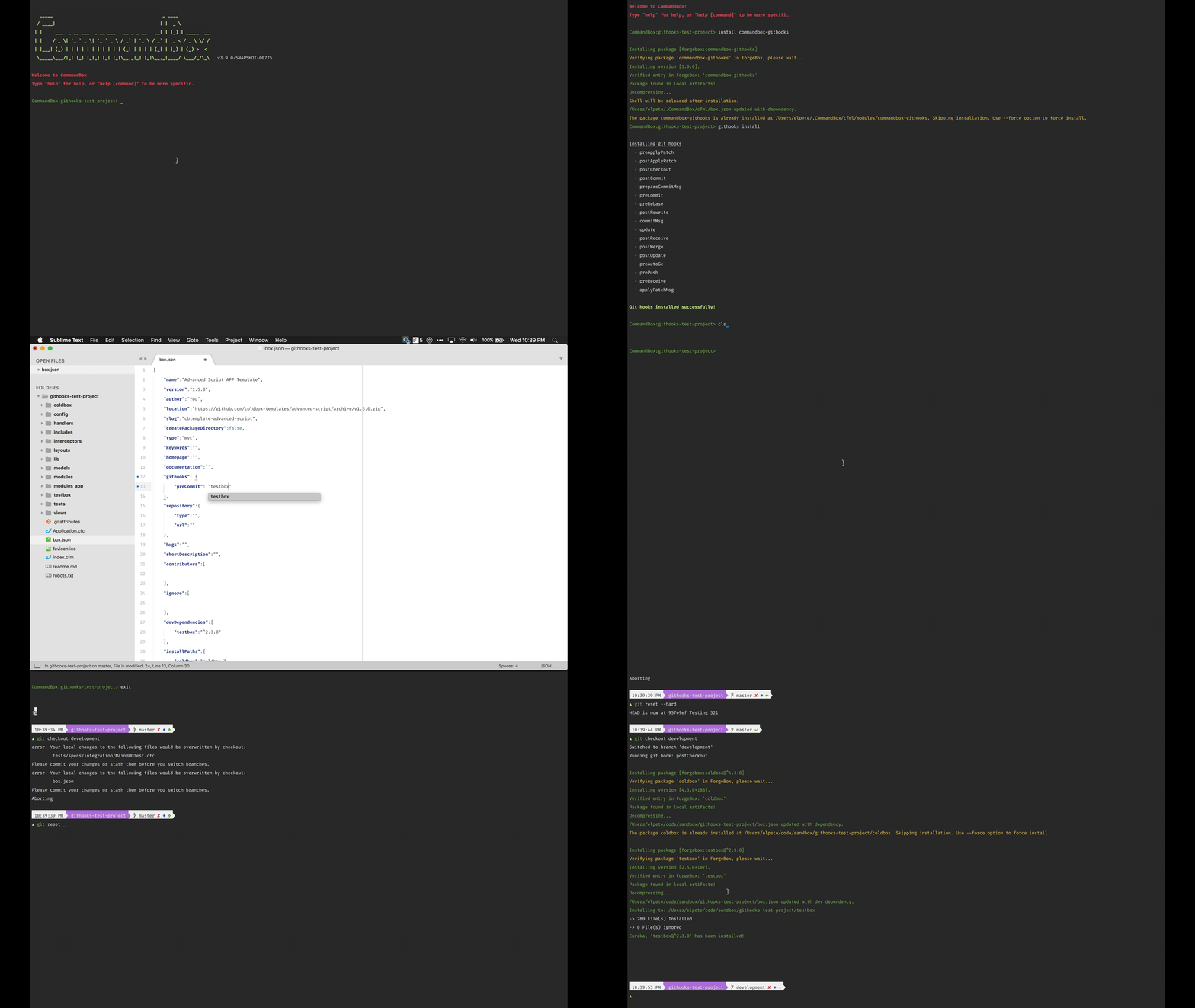
CommandBox Githooks lets you use CommandBox, CFML, and your box.json to manage
these githooks for your project. You configure it in three steps.
- Install
commandbox-githooksfor CommandBox. This step only needs to be done once per CommandBox installation. - Configure CommandBox Githooks for your repository by running
githooks install. This will set up CommandBox to handle the githooks.Note: This needs to be done on each user's local repository as githooks are not synced.
- Add a
githooksstruct to yourbox.json. The keys of this struct are the camel-case names of the githooks (post-checkout=>postCheckout). The value is either a single command or an array of commands to run for the githook.
Let's show you what this actually looks like:
Wrap up
CommandBox Githooks can save you mental energy and time debugging by helping you automate githook tasks with CommandBox and CFML. Try it out today!


Add Your Comment
(1)
Dec 21, 2017 08:09:32 UTC
by John Farrar
This is one of the greatest integration points for CFML developers. Remember if you think hooks are missing they are likely hooks that should be run from your origin repository, a.k.a. BitBucket or some other server.